Templates
Start a workflow from a ready-made template, or save your own workflow as a template
Templates are finished workflows you copy and adapt. They cover common patterns such as processing form submissions, sending notifications or calling external APIs.
Browsing Templates
Open Templates in the Workflows sidebar. The list contains two kinds:
- System templates, provided by DeutschlandGPT for every organization
- Organization templates, which members of your organization saved for everyone in it
Narrow the list with the tag filters at the top, or search by name and tag. Your filter selection is kept in the page address, so you can bookmark or share it.
You can also start from a template on an empty canvas: next to the trigger selection, Choose a template leads to the same list.
Previewing a Template
Click a template card to open its details: name, description, tags and the number of nodes.
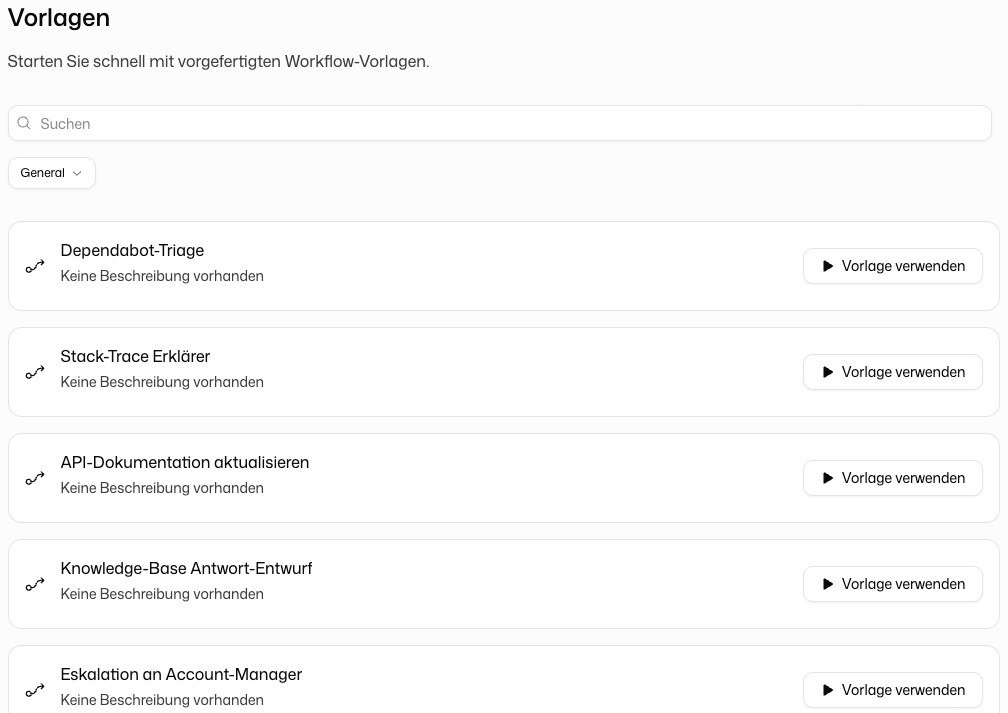
Using a Template
Click Use template on a card or in the details. A new workflow with the template's nodes and connections is created in your workspace and opens in the builder. Review it, set your own connections in the integration nodes and deploy it.
The new workflow is an independent copy. Later changes to the template do not affect it.
Saving a Workflow as a Template
If your role allows creating workflow templates, the menu of a workflow card in the overview contains Save as template. In the dialog, enter:
- Template name and Template description
- Tags, which drive the filters on the templates page
- Visibility: Enterprise (only in your organization)
Click Create template. The template then appears on the templates page for everyone in your organization.