Dashboard
Track usage and costs, inspect single requests, compare model prices and try models in the playground.
Besides keys and billing, the Platform API has a few views for watching what your integrations do and for trying models before you write code.
Overview
The Overview is the start page. It shows a Getting started checklist until the first API key exists. Below it you see your Balance, the number of requests, Spend this month split by product, and Recent activity. On a workspace billed by invoice, the open amount and the available credit line appear instead of the balance.
Usage
Usage charts your consumption over time, separately for Text Completion, Image Generation, Embeddings and Other usage. Filter by API key, model and time range.
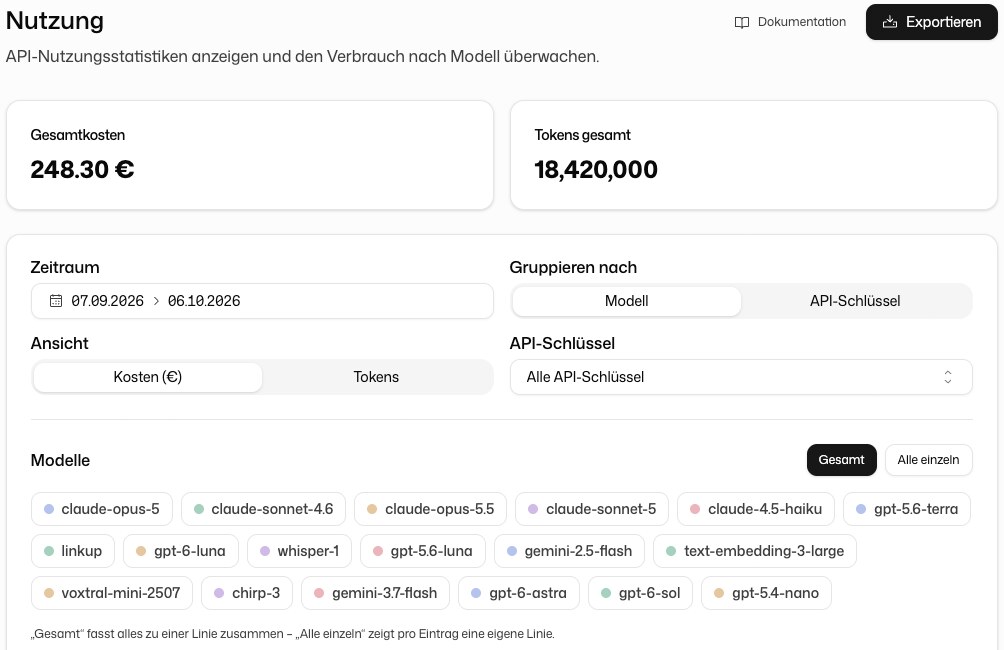
Export creates a spreadsheet for a time range you pick. It contains an overview and one sheet each for the usage types, the API keys, the cost per person and the daily cost per key.
Request logs
API Request Logs lists every single request with Time, Model, Status, Latency, Tokens and Cost. Filter by Endpoint Type, API Key and Status, and sort by Newest First, Oldest First or Slowest First.
Open a request to see its token breakdown, endpoint, finish reason and, for a failed request, the error message. The log shows metadata, not the content of your prompts or answers.
Models & pricing
Models & pricing lists the models your workspace can use with their rates. The same prices are public under Models & pricing.
Playground
The Playground in the sidebar sends real requests from your workspace, so you can try a model and its parameters without writing code. It covers Text Completion, image generation and editing, and Embeddings. Audio and video playgrounds appear only when they are enabled for your organisation.