Professional secrecy (§203)
Restrict all AI processing to providers with a §203 StGB confidentiality addendum
Professional-secrecy mode is meant for organizations bound by professional secrecy under §203 StGB, for example medical practices, law firms or tax advisors. You find it under Organization settings → Security & compliance → Professional secrecy (§203). You need the permission Manage organization settings.
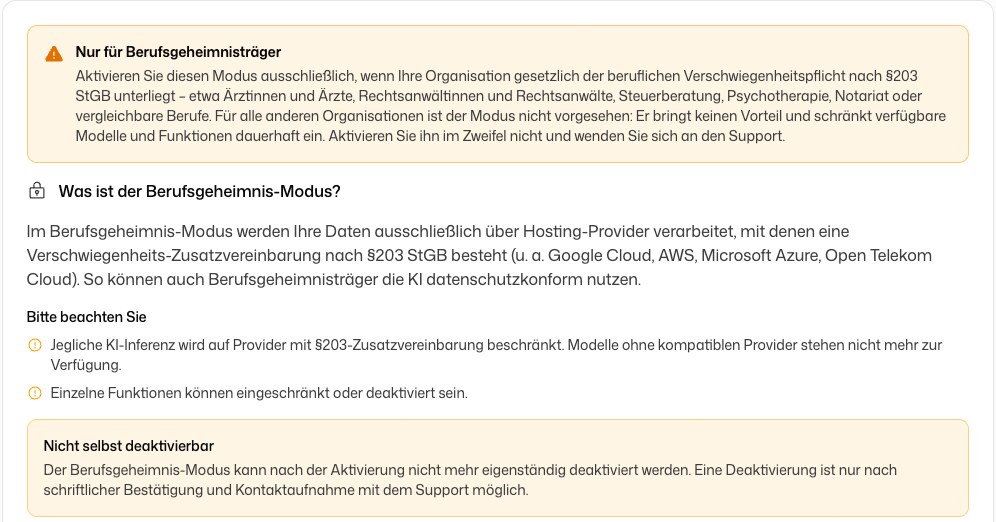
What the mode changes
In professional-secrecy mode, your data is only processed through hosting providers that have signed a §203 StGB confidentiality addendum.
- All AI processing runs only through providers with such an addendum. Models without a compatible provider are no longer available.
- Some features may be limited or switched off. Reading answers aloud, for example, is always off.
- On the AI models page, models that are not covered stay visible but are disabled and cannot be selected. Coverage depends on the hosting provider, not on the model name or the GDPR region.
- The Organization profile shows a notice that the mode is active.
Only activate the mode if your organization is legally bound by professional secrecy under §203 StGB. For other organizations it brings no benefit and restricts the available models for good.
Activate the mode
Confirm that §203 applies to you
Tick I confirm that my organization is legally bound by professional secrecy under §203 StGB.
Choose your fields of work (optional)
Under Which areas do you work in? pick law, tax, medicine, notary or pharmacy. DeutschlandGPT then switches on matching skill packages for your organization. You can change that selection at any time.
Activate
Click Activate professional-secrecy mode, type ACTIVATE into the confirmation field and confirm.
Deactivation
You cannot switch the mode off yourself. Deactivation is only possible after written confirmation and contacting support.
Once the mode is active, the page shows Professional-secrecy mode is active. To deactivate it, contact support.