Data & retention
Set the maximum retention period for chats, transcripts and audio recordings in your organization
Decide how long chats, transcripts and recordings are kept at most in your organization. The page is under Organization settings → Data → Data & retention. This is the only place where you set how long chats are kept. Every dropdown saves on its own and confirms with Saved.
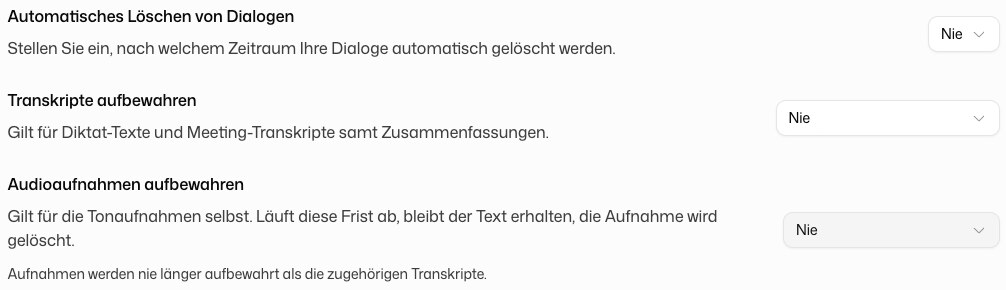
Set the deletion interval for chats
Under Automatic deletion of chats, pick a period: Daily, Weekly, Monthly, Quarterly, Yearly or Never (chats are not deleted automatically). Any chat older than that is deleted automatically on the next scheduled run.
Your period acts as a limit: members can only choose a shorter period in their personal Data Storage settings. They cannot go beyond your limit, and they see it there as Your organization's limit.
The setting applies to the whole organization as soon as you change it. Chats that are already older than the new period are removed on the next scheduled run.
Set periods for transcripts and recordings
Dictations and meeting recordings are stored so members can read and listen to them later. Two periods cap this for the whole organization:
- Keep transcripts: applies to dictation texts and meeting transcripts, including summaries.
- Keep audio recordings: applies to the recordings themselves. When this period ends, the text stays and only the recording is deleted.
Recordings are never kept longer than their transcripts. These periods are limits too: members can only choose shorter periods for themselves under Media: transcripts & recordings, where they see your setting. If you set transcripts to Do not store, dictations and recordings are not kept at all.