Usage
Monitor how DeutschlandGPT is being used across your organization
See at a glance how active your organization is on the platform. The page is under Organization settings → Billing & usage → Usage and requires the permission View usage of all members.
Read the summary counters
Three counters at the top show current totals for your organization.
| Counter | What it shows |
|---|---|
| Users | Total number of users |
| Groups | Total number of groups |
| Custom AI Applications | Total number of Spezialanwendungen |
Explore usage over time
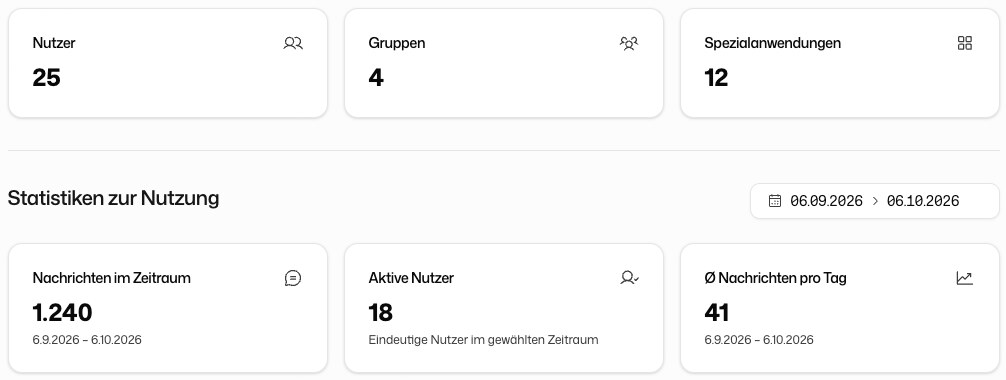
Pick a period with the date range picker, either from the quick select (Today up to Last 365 Days) or with Pick Dates. For that period you see Messages in period, Active users and Avg. messages per day, plus two charts.
Active users per day counts the distinct users who sent at least one message on each day in the selected period.
Messages sent per day shows the total messages sent across the organization each day.
Export a usage breakdown
If the usage export feature is enabled for your organization, the section Per-User Usage appears below the charts. Click Export to download the message counts per user for the selected period as an Excel file. The period can be at most 366 days.