Prompt Templates
Create reusable prompts and insert them into any chat by typing a slash and their key.
Prompt templates are reusable texts you insert into any chat by typing / and a short key. They save you from retyping the same instructions over and over. You manage them under Settings → Prompt Templates.
Create a Template
Click Create template and fill in two fields:
- Key: a short, unique name without spaces, for example
email. You use it in the chat as/email. - Template: the full text the key expands to, up to 4,096 characters.
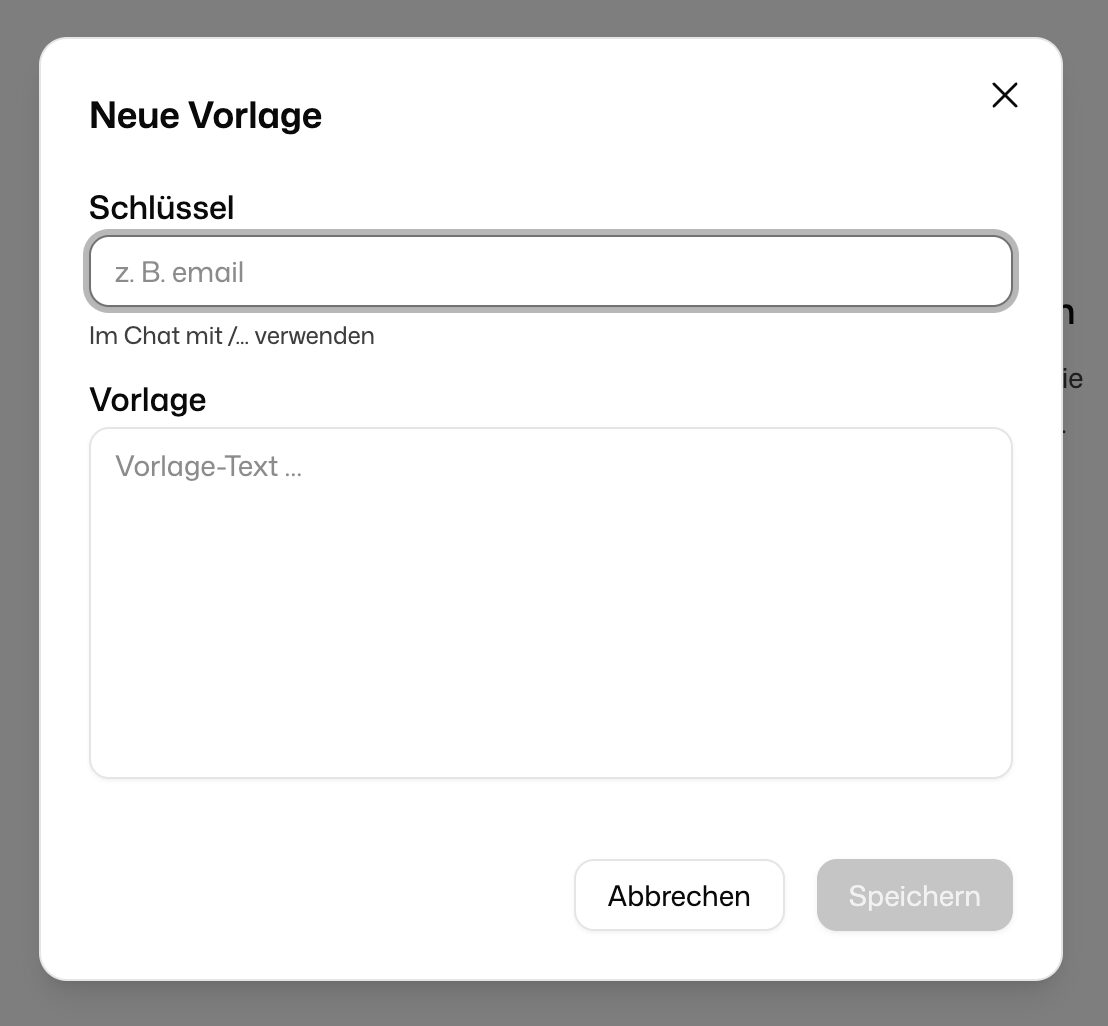
Click Save to add the template to your list.
A template longer than 2,048 characters shows a note: the whole text is sent to the model every time you use it, which raises token usage.
Use a Template
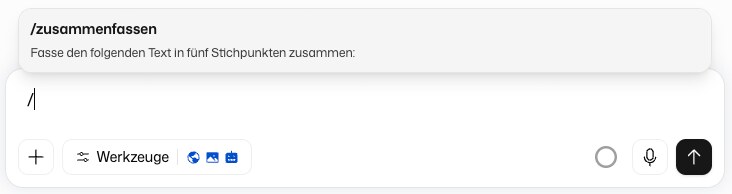
Type / in the chat input, followed by the key. Pick the template from the list, and its text is inserted into the input field, where you can still change it before sending.
Share a Template
Click Share on a template card and choose the colleagues or groups who may use it. Templates others share with you carry the badge Shared with you. You can open and use them, but only the owner can change them.
Edit or Delete a Template
Click a template card to open it, change the key or text, then save. To remove a template, use the delete action on its card. Only the owner can delete a template, and this cannot be undone.