Language, Input & Appearance
Set the interface language, voice input language, color theme, plain mode and the Enter key behavior for your account
Settings → Language, input & appearance controls how DeutschlandGPT looks, which language it speaks and how the chat input behaves. Every setting here applies instantly, no save button needed. The language the AI answers in is set under Model preferences.
Change the Interface Language
Pick your language under Interface Language. The whole interface switches over immediately.

Set Your Voice Input Language
Voice Input Language tells the speech recognition which language to expect when you dictate a message. Automatic detects the language by itself but can get it wrong now and then. If you always speak the same language, select it and recognition gets noticeably more accurate.

Switch the Color Theme
Under Appearance, choose Light, Dark or System from the dropdown. System follows your operating system and switches automatically when that changes.

Dark mode variant decides how dark mode looks: Graphite is cool-tinted, Charcoal (OLED) is true black and saves power on OLED displays. It has no effect in light mode.
Plain Mode and the Enter Key
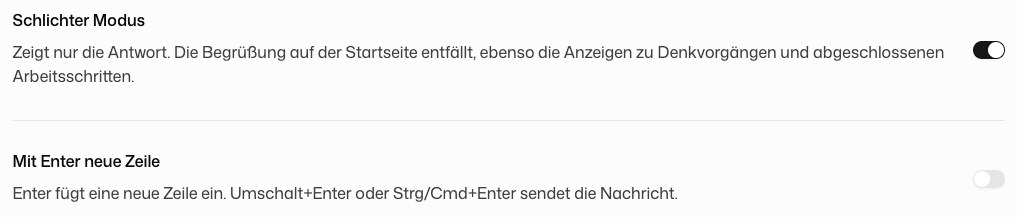
Plain mode shows the answer only. The greeting on the start screen is dropped, and so are the notices about the model's thinking and its finished work steps. A step that failed stays visible.
Enter inserts a new line swaps the keys in the chat input: Enter adds a line break, and Shift+Enter or Ctrl/Cmd+Enter sends the message. It is off by default. Both settings belong to your account, so they follow you to other browsers, other computers and the desktop app.
Looking for the default model or the language the AI answers in? Those live under Preferences, not here.